Originally published on Benscomputer.no-ip.org Aug 2009.
Whether it's a full network migration, or simply a change of Server Software, it is essential that any change is properly managed. Some changes occur after the IT department suggest them as the best course of action, whilst some are the result of managerial decisions. Whether it's to cut costs, to streamline the workflow or simply to acheive a more stable system, incorrect management of the change can be disastrous.
When preparing for the change, many people make the mistake of only planning for the change itself. You need to go further than that, plan the entire migration period. Create contigency plans, ensure that your disaster recovery plans are suitable for use with the new system.
This article assumes that as part of the change, you are installing a new managed network. If that's not what you are doing, the steps of planning are relevant, it's just that a number of the checks and possible deviations probably aren't.
There are a lot of decisions, and questions, involved in planning any change. To show just the tiniest percentage of them, written in a basic format, look at the paragraphs below;
If you are putting new Workstations onto desks, allot some time to make sure everyone clears space on their desk. Have you got enough power and network sockets to run two workstations side by side, if not, how long will the rollout take? Are you going to be sending workers home? Keep the end-user informed. Create a FAQ for users to read, detailing relevant bits of the new system. Do you really want users coming to find you on rollout day, just so that they can complain that the new PC's have Vista, and they're used to XP?
What you will do if it all goes wrong. what could potentially go wrong, and how you will deal with it? There are new workstations being installed but they've not all arrived, which ones are a priority?
One of the network points is faulty, are you going to halt the rollout whilst the socket is fixed, or do you have enough points in the room to use another, at least until the original is fixed.
Data needs to be migrated, users need to cease using their old systems, and begin using the new. How are you going to implement this change? If you do it without notifying users, they may update a document whilst you are transferring it. End result, they lose the changes, and come to you to fix it. Some users may not like the new system, and may continue using the old, how are you going to prevent this, at least until the old Workstations have been removed?
The block above, contains a lot of questions, with no answers. It also contains a tiny fraction of the questions that you would need to ask for any real change. Do you really want your thoughts to look anything like this on the day? Endless questions, with no time for even considering an answer. No, it's far better to do a little bit of planning.
Realistically, there is absolutely no way you can accurately plan a change without some form of paperwork being raised. Buerocratic though it is, planning your change in writing has a number of benefits;
- You don't have to keep every little detail in your head
- If you are unavailable, someone else can see the plan
- If things do go south, you can prove that you exercised due diligence
- The company is able to keep a record of how the change was supposed to happen
- It reduces stress on rollout day, by reducing each step to a checkbox
But, you do need to write the plan properly, and include a lot of possibile likely deviations. A large part of the benefits of the plan comes down to correct formatting. Your plan could be many pages long, and you do not want to have to read the entire thing everytime you need reminding of an item on roll-out day.
So we use a logical format, not that different to the plans you made in science class all those years ago.
Title: My Less Stressful Network migration Plan
Document Date: Today
Document Author: Me
Aim: To migrate our Token ring network, consisting of 80PC's to a new Gigabit network, with 80 replacement PC's.
To Complete by: 30 Days time.
So, we've now defined what the plan is for, and set a deadline. Obviously the dates should be written as dates. Note the very short deadline on this plan, we have 30 days to plan the migration, and to actually do it. This may not seem nearly long enough, but keep in mind that we are not planning the implementation, simply how it will be implemented. If you are at the point where you have a date when replacement PC's will be put in, there should already have been discussions about what suitable replacements would be, where they should go etc.
So we are assuming that you have laid all the groundwork, and know where each new PC will go and that the new network cabling has been installed. All this plan focuses on, is how to get PC's into their locations, and users using the new PC's.
The 30 Days time includes your roll-out day, so it's wise to add a 'Key Dates' section;
Section 1 - Key Dates
- 15 Days Time - New Network Hardware Activated
- 20 Days Time - New PC's Delivered
- 21 Days Time - Contractor arriving to install PC's
- 28 Days Time - Contractor arriving to securely destroy old hardware
- 30 Days Time - Contractor arriving to remove Token Ring Hardware
This means you can, at a glance, confirm when things are happening. It's worth also including a calendar type table in this section, so that you can handwrite new milestones into the plan. These need to be entered onto your electronic copy as soon as possible, but at least if you have one place to write them, they shouldn't be forgotten.
Once you know when key events are happening, you can start planning both for the run-up, the actual date, and any actions arising after the event;
Section 2 - Planning
Date 1 - 15 Days time
Preparation
- Ensure that all network points are correctly patched through
- Contact Contractor and confirm that there are no delays expected
On the Day
- Make contact with Contractor and confirm that all hardware is active, and has been tested
After the event
- Check network points are not faulty
Possible Deviations
Deviation Number
|
Stage
|
Deviation
|
Consequences
|
Preventative Action
|
Corrective Action
|
1
|
Preparation
|
Not all Points Patched through correctly
|
Not all new PC's will be able to connect to the network from their designated TAP
|
Check Patching as planned.
|
Re-patch erroneous ports
|
2
|
Preparation
|
Delays expected
|
Hardware will not be activated on the planned date, if delays too great, network will not be active in time for new PC's and data migration.
|
Confirm timescales with contractors, make them aware of full timeline to highlight the importance of minimising delays
|
If delay can be rectified in house, do so. If not, then contact relevant parties to try and minimise delays.
|
3
|
On the Day
|
Not all Hardware active, due to fault
|
If fault is not corrected, substantial sections of the new network may not be active on roll-out day.
|
None
|
Liase with contractors to arrange replacement hardware/repairs to hardware.
|
4
|
After the event
|
Some Network points not working.
|
Some PC's will be unable to connect to network.
|
Use a CAT-5 tester to check TAPs as part of Preparation stage.
|
Re-wire/Replace Network sockets.
|
Create a section like this for each of your key dates, try to include every likely deviation possible. It's impossible to include everything, and there's probably very little justification for adding a row explaining what to do if the Contractor is hit by lightning whilst carrying your new PC's. If anything, this would be covered by a row explaining what to do if a terminal is faulty. Let Health and Safety worry about the Lightning itself!
In the example we are using, there is one deviation that everyone dreads. This appears on Key Date 3, and you should have an entry in the relevant table something like the one below;
Deviation Number
|
Stage
|
Deviation
|
Consequences
|
Preventative Action
|
Corrective Action
|
1
|
On the Day
|
Management wish to change the planned location of one or more PC's.
|
Initial plan no longer reflects the end-result.
Contracts raised may specify where terminals are to be installed, so change may not be possible at this point.
Change at a later date could incur a cost.
|
Confirm terminal locations with Management at the earliest possible point.
Ascertain whether changes in location are possible under the contract.
Ascertain the cost of moving a terminal at a later date.
Provide Management with both of the above details.
|
If no movement possible, explain to management that locations have been set in contract, but that they can move terminal locations at a later date - for a cost.
If movement possible, speak to contractor to arrange new locations. Keep a note of the changes and enter into you Project Closure report.
|
There may be a very good reason why the management want a terminal moved (of course the reason may also not be that good in the light of day), so whilst it can feel a little irritating on the day, work with it. You should have planned for the eventuality, so you should already know how to respond. Odds are high that you are going to receive this kind of request, so make sure you plan for it.
These sections are more or less all you need to create a successful plan, you just need to use some careful thought to envisage as many of the possible deviations as possible. Keep in mind that you will need to plan for errors by the contractor, as well as by yourself and others within the company. Keeping your users well informed of the benefits and issues they will face (don't descend into techy speak!) is well advised. Publishing an FAQ on the intranet may seem like a waste of time, but if you make users aware of it, they are less likely to waste both yours and your colleagues time by asking mundane questions.
No-one wants to be answering questions on why they've chosen a specific version of Windows whilst they are trying to install new terminals, or worse work out what impact the Managerial changes will have.
Similarly, keep the Management informed, the earlier they can propose changes, the less drastic the consequences are likely to be for your project. Pass them a copy of your planning document, it shows that you are taking the project seriously, and may also answer some of the questions they were wanting to ask.
Unfortunately, not every project can go smoothly, but a lot of problems often boil down to bad planning or bad communication. There will always be the risk of that deviation that you could never even imagine happening, but these should be very rare, as a rule planning can only benefit your roll-out.
Despite how it can feel whilst creating the document, project planning is far from being a waste of time!








































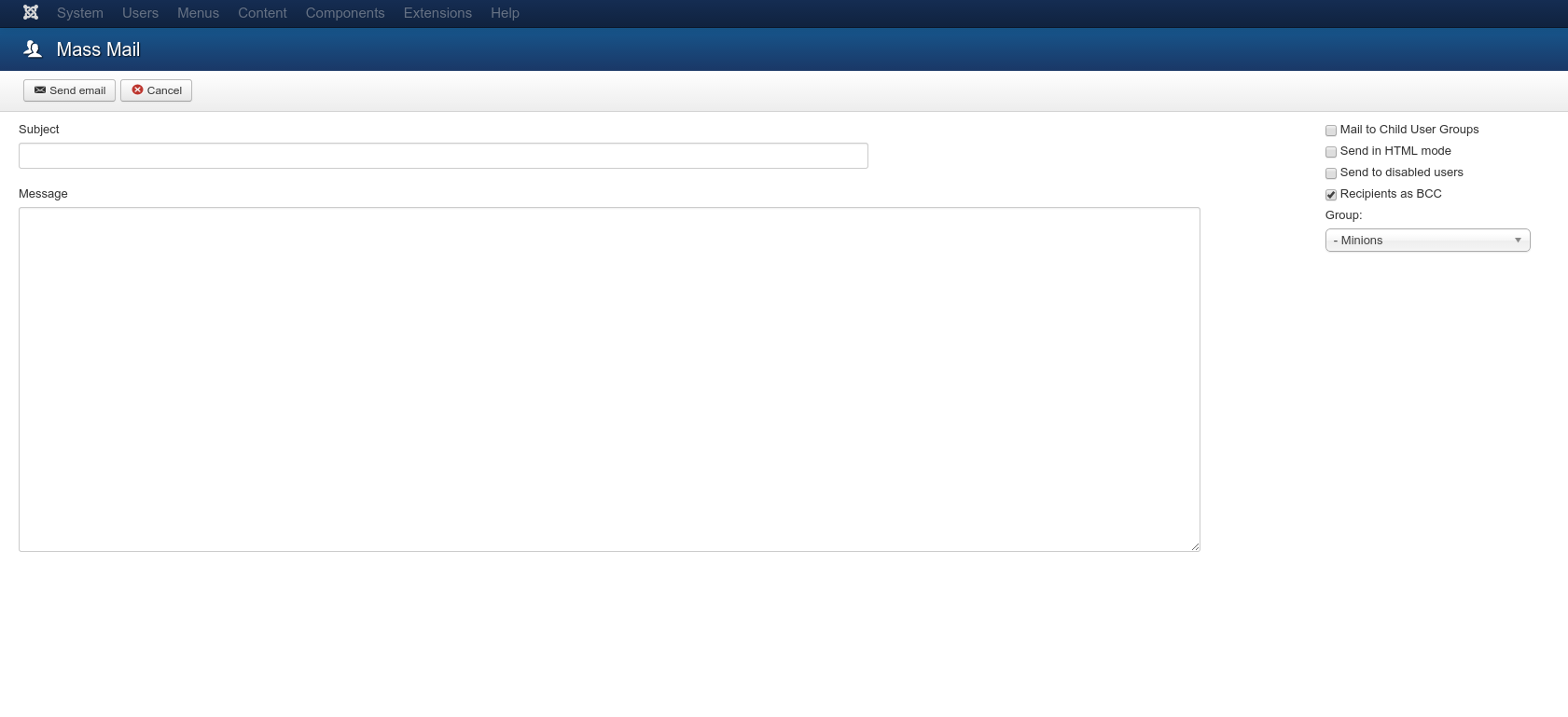









 Google+ Feed (Mod_GoogPlusFeed) is a module designed to embed your Google+ posts into a Joomla site in the way that mod_btwitter does for Twitter. The core principle of the design is that it shouldn't contain un-necessary chrome and shouldn't slow page load.


 . Well this
is yet another update on the
subject. In my post yesterday I mentioned that when I washed the bike
the misfire came back (and the battery stopped charging).
. Well this
is yet another update on the
subject. In my post yesterday I mentioned that when I washed the bike
the misfire came back (and the battery stopped charging).
 Bad
Idea!! With the rubber boot on the end the cap will not even fit into
the spark plug well, and if you try to risk using it without the boot
you will find that it's not actually long enough to actually connect
with the spark plug. It's my own fault, no-one told me it would fit, I
simply figured I'd try it!
Bad
Idea!! With the rubber boot on the end the cap will not even fit into
the spark plug well, and if you try to risk using it without the boot
you will find that it's not actually long enough to actually connect
with the spark plug. It's my own fault, no-one told me it would fit, I
simply figured I'd try it! I got
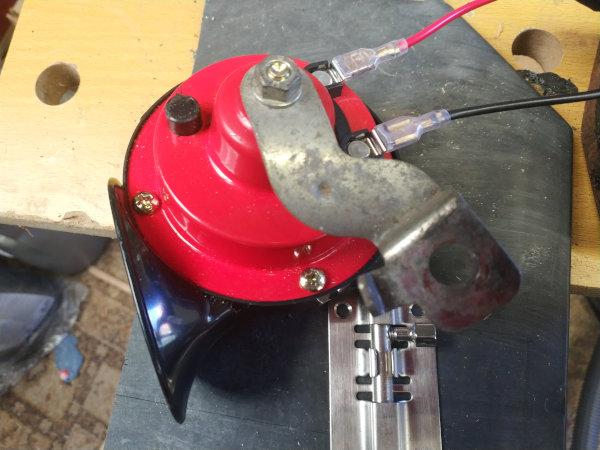
rid of the OEM horn quite a while ago, frankly it was crap and had a
horrible tone to it. I initially replaced it with one of a pair of
I got
rid of the OEM horn quite a while ago, frankly it was crap and had a
horrible tone to it. I initially replaced it with one of a pair of  So I
applied a bit of logic, and worked out that I could fit the second
Hoota down the side of the engine. Even on the unfaired version, there
is a bolt (Allen Key on this one, but I'm sure the old bike had a 10mm
bolt) holding the base of the radiator to the edge of the front
cylinder.
So I
applied a bit of logic, and worked out that I could fit the second
Hoota down the side of the engine. Even on the unfaired version, there
is a bolt (Allen Key on this one, but I'm sure the old bike had a 10mm
bolt) holding the base of the radiator to the edge of the front
cylinder. Obviously,
a loud horn will do nothing to protect you if you don't get chance to
use it. Allow yourself time when approaching junctions, especially if
there is a lot of traffic about. It's better to hit the brakes than the
horn, but if you can hit both at once it can be doubly effective. If
not then so long as you have avoided the accident, a loud horn is a
good way of saying 'F!?k You!!!'
Obviously,
a loud horn will do nothing to protect you if you don't get chance to
use it. Allow yourself time when approaching junctions, especially if
there is a lot of traffic about. It's better to hit the brakes than the
horn, but if you can hit both at once it can be doubly effective. If
not then so long as you have avoided the accident, a loud horn is a
good way of saying 'F!?k You!!!'